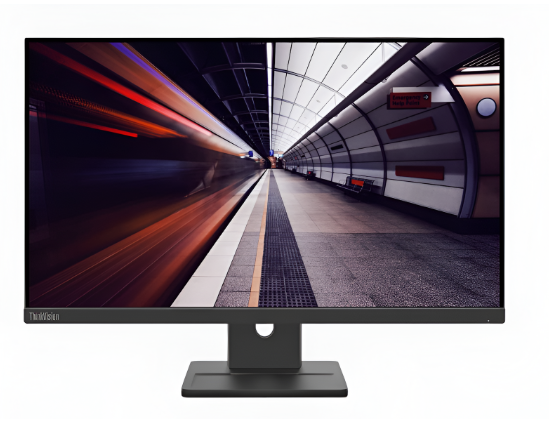
You might feel pressure to buy a 4K screen today. Everyone talks about high resolutions and massive pixel counts. However, your 1080p monitor remains a fantastic tool for gaming and work. It offers high frame rates without breaking your bank account. You get a smooth experience that many expensive screens cannot match.
1080p is the sweet spot for performance and value. Your current system requires no complete replacement for you to achieve professional status. Your desk will become a powerful workspace through the implementation of intelligent upgrades. They make your current screen feel brand new.
Let us look at how you can elevate your setup today. You will find that small changes create the biggest impact on your daily routine.
1. Give Your Screen the Perfect Lift
A monitor arm is the best way to start your journey. Most stock stands take up too much room on your desk. They also sit too low for your neck health. A gas spring arm lets you move the screen with one finger. You can clear away the clutter under your display. This extra space makes your desk feel much larger. The best 1080p monitors truly shine when mounted on an adjustable arm, giving you perfect eye-level alignment, better posture, and a cleaner, more professional workspace instantly.
Finding Your Ideal View
The arm allows you to set the perfect height for your eyes. You will stop slouching during long sessions. Better posture leads to more energy and less pain.
2. Click Into a Better Typing World
Standard office keyboards feel mushy and slow. A mechanical keyboard changes everything about how you interact with your PC. You get tactile feedback with every single press. This makes typing faster and gaming much more precise. You can choose switches that click loudly or stay silent.
Why Custom Switches Matter
Mechanical boards last for millions of clicks. They offer a premium weight that keeps the board from sliding. You will enjoy the physical connection to your digital work.
Connecting your hands to the screen requires a smooth path. A quality surface is vital for your new mechanical keys and mouse.
3. Smooth Paths for Your Gaming Mouse
A tiny mousepad limits your movement and slows you down. A giant desk mat provides a consistent surface for your sensor. Your 1080p gaming feels better when your mouse never hits an edge. These mats also dampen the sound of your keyboard. They add a layer of soft comfort for your wrists.
Choosing the Right Fabric
Choose a mat that has stitched edges to stop fabric damage from fraying. The dark color of the material prevents stain visibility while maintaining a clean appearance of the setup.
With your desk surface ready, you should focus on your ears. Great sound completes the immersion that your eyes started.
4. Hear Every Detail in the Mix
Your monitor speakers likely sound thin and weak. A dedicated pair of studio monitors or a headset brings depth to your world. High-quality audio lets you hear footsteps in games. It makes music feel like a live performance at your desk. You will notice details in songs that you missed before.
Powering Your New Audio
A small USB digital-to-analog converter improves sound quality further. It removes the static noise from your motherboard. Your ears will thank you for the crisp and clear signals.
5. Paint Your Walls With Light
Standard room bulbs create glare on your 1080p screen. LED strips behind your monitor reduce eye strain significantly. This is called bias lighting. It makes the blacks on your screen look deeper and richer. It also creates a cool atmosphere in your room.
- Stick the strips to the back of the monitor
- Use a remote to change colors based on your mood
- Sync the lights with your games for extra fun
Creating a Cinematic Glow
Soft light prevents headaches during night sessions. It makes your 1080p panel look like a high-end cinema screen.
6. Support Your Back Like a Pro
An ergonomic chair is a vital upgrade for any user. Cheap chairs ruin your spine over several months. You need to find a chair that has lumbar support that you can adjust according to your needs. You want breathable mesh to stay cool in the summer. A good chair keeps you focused on the screen and not your back pain.
- Adjust the armrests to match your desk height
- Keep your feet flat on the floor for balance
- Recline slightly to take pressure off your hips
The Value of Good Foam
High-density foam keeps its shape for years. It provides the firm support your muscles need to stay relaxed.
Once you are sitting comfortably, you need to look at your PC. The hardware inside dictates how well that 1080p screen performs.
7. Boost Your Speed With More Memory
Your 1080p monitor can handle fast action if your PC keeps up. Adding more RAM is a cheap way to stop stuttering. It allows you to keep many tabs open while you game. 16GB is the modern standard for a smooth experience. Your computer will feel snappier and more responsive instantly.
- Install two sticks for dual-channel speed
- Check your motherboard for the right speed rating
- Watch your boot times drop, and apps launch faster
Multitasking Made Easy
More memory means you can stream or record your screen. You will not see those annoying frame drops anymore.
8. Clean Up With Custom Cables
Messy wires ruin the look of a nice 1080p setup. Braided cable extensions add a splash of color to your build. The product provides simple installation steps which result in better visual appearance compared to standard black plastic. The design shows that you pay attention to minor details.
- Choose colors that match your room theme
- Use cable combs to keep wires straight and neat
- Tuck the excess length behind the motherboard tray
The Final Touch of Style
Custom cables turn a basic PC into a work of art. They pull the whole visual theme of your desk together.
Conclusion
Upgrading a 1080p monitor setup is a rewarding process. You do not need to spend thousands on a new monitor yet. Better audio and lighting, and comfort change your experience more than pixels. You have learned how to support your body and your hardware. These eight steps create a balanced environment for work and play.
Your 1080p screen is now the center of a professional workspace. Take your time with each upgrade and enjoy the results. You will find more joy in your daily tasks starting today. Your desk is finally ready for the next level of performance.